
- Find the
.crtfile you downloaded and double-click to open it. - Select the Details tab, then the Copy to File button.
- Select Next in the Certificate Wizard.
- Select Base-64 encoded X.509 (.CER), then select Next.
- Select Browse, choose where to save your
.CERfile, and enter a name for your certificate. - Select Next and then Finish.
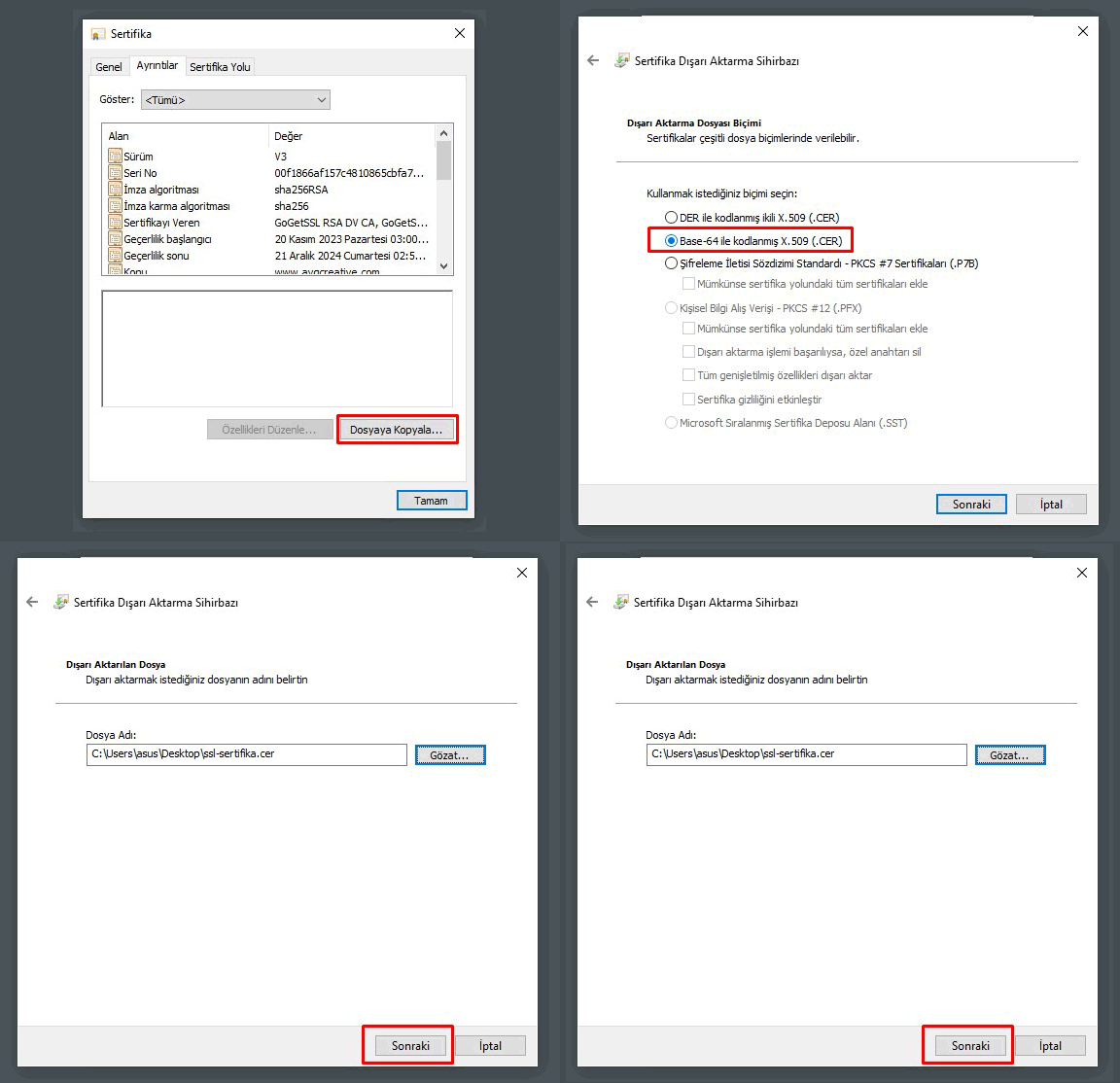
Convert the .crt file of the SSL certificate you got from CheapSSL to a .cer extension.
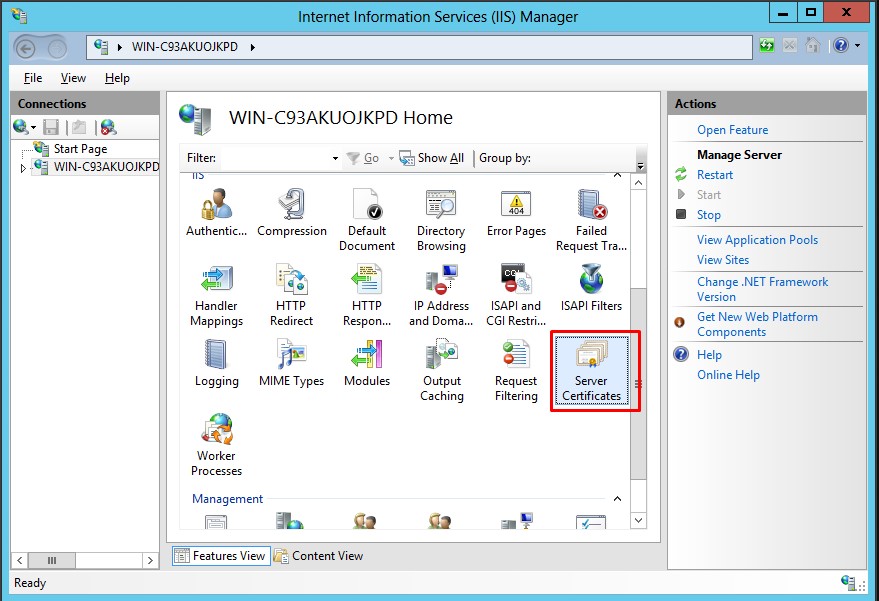
From the Start screen, click "Internet Information Services (IIS) Manager".
Click the "Server name" button.
In the "Main Menu", double-click "Server Certificates".
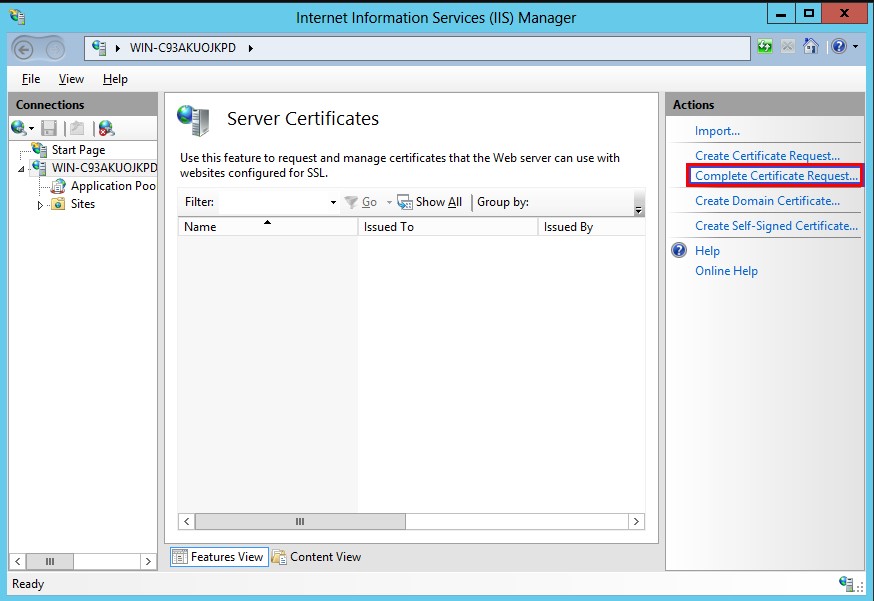
In the "Actions" menu (top right corner of the page), click "Complete Certificate Request...". This will open the "Complete Certificate Request wizard" window.
5. Browse to the .cer file you created using the -Browse- button. Then enter your "Friendly name". Your friendly name is not part of your certificate — it's only used so your server administrator can easily identify your certificate. Choose where you want to save your certificate in the "Personal" certificate store.
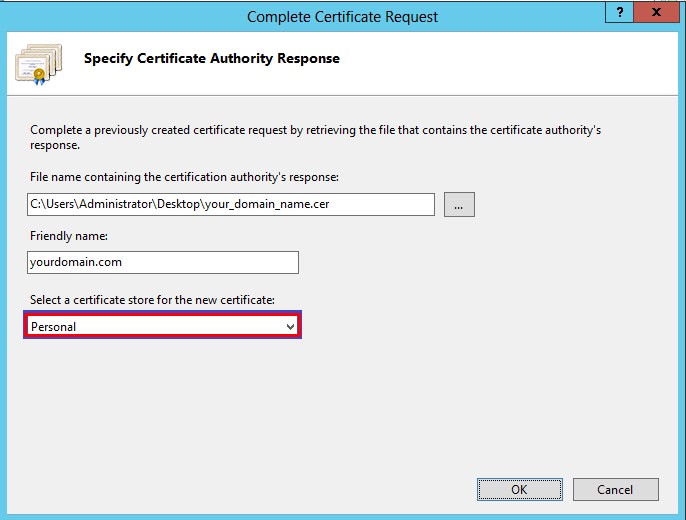
6. Click "OK" to start uploading the certificate to your server.
7. Before the SSL certificate can start being served from your server, you need to assign the certificate to the appropriate website using IIS.
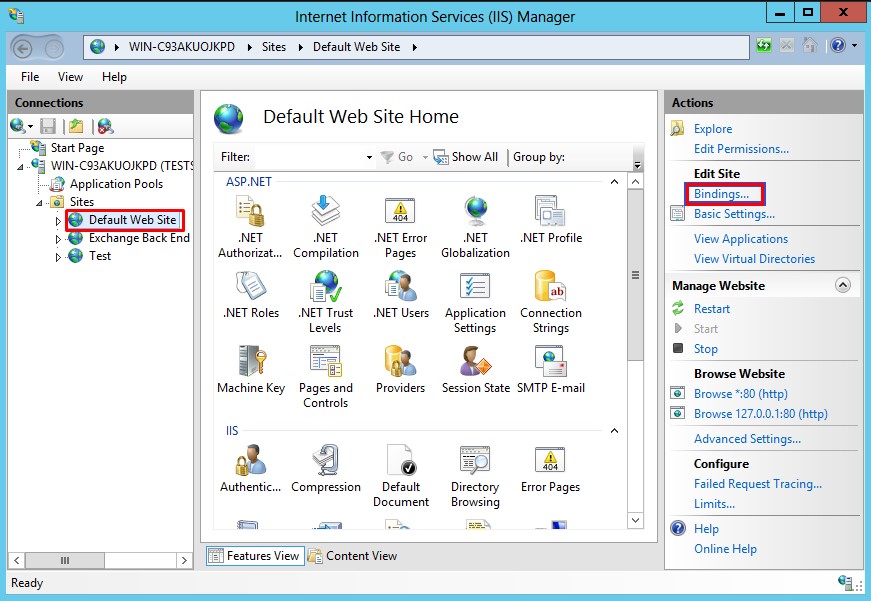
8. In the "Connections" pane of the Main Internet Information Services (IIS) Manager window, select the name of the server you installed the certificate on.
9. Under "Sites," click the name of the site you want to secure with the SSL certificate.
10. In the "Actions" menu (right side of the page), click "Bindings..." to open the "Site Bindings" window.
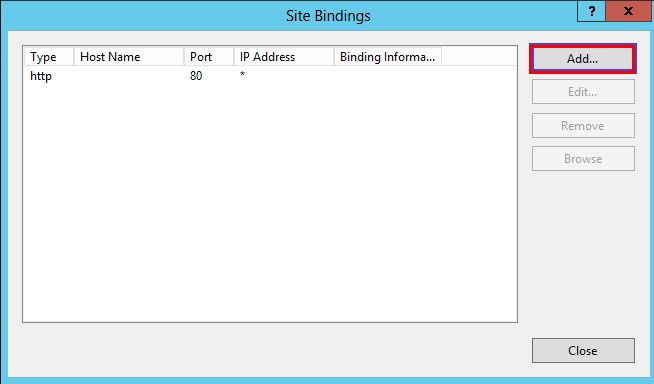
11. In the "Site Bindings" window, click "Add..." to open the "Add Site Binding" window.
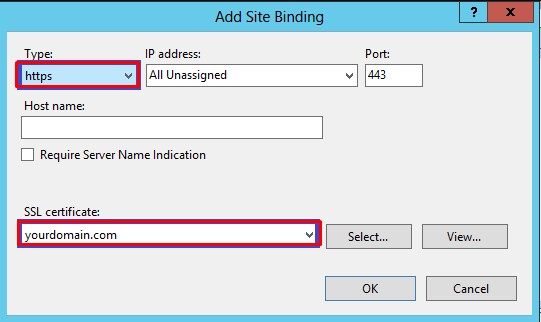
12. Under "Type," select https. The "IP address" field should be "All Unassigned" and the "Port number" is usually -443-. The SSL Certificate installed in Step 6 should be selected.
13. Click OK to confirm the entries, then click Close in the Site Bindings window.
14. In the Actions pane on the right, find Manage Website and click Restart.
Can't find the answer you need?
Contact Us